
It is Monday morning. Someone opens the business Instagram page and asks, “What are we posting this week?”
A product photograph is available. There is a festival coming up. Someone suggests a quote about success. By the end of the conversation, the team has three posts to make, but very little to say about why a customer should choose the business.
This happens because content planning often begins with an empty calendar. A better starting point is the work already happening around you: the questions customers ask, the decisions your team explains and the details people need before they buy.
Your business should post content that answers customer questions, demonstrates your work, shares useful advice, introduces the people behind the business and explains your offers clearly. Together, these posts help people understand what you do, decide whether it suits them and take the next step.
You do not need a different personality every week. You need a reliable way to notice what is useful and turn it into something your audience can understand.
Start with the customer you want to help
Before choosing a format, choose a person and a situation. “Everyone interested in interiors” is difficult to write for. “A homeowner planning their first modular kitchen and trying to compare quotations” gives you something specific to explain.
That homeowner may want to know what changes the price, which materials suit everyday cooking, how installation works and what the quotation includes. A photograph of a finished kitchen may attract their attention. An explanation of those decisions gives them a reason to stay.
Write one sentence before you plan your posts:
We help [specific customers] understand [a problem or decision] so they can [take a useful next step].
For a jewellery business, that might mean helping shoppers choose pieces for a particular occasion and understand their size, finish and care. For a consultancy, it might mean helping business owners recognise a problem and understand the work involved in solving it.
Then decide what you want content to support this month. It could be enquiries for one service, awareness of a new collection or clearer understanding of an existing offer. This gives the team a way to choose between ideas instead of publishing whichever graphic is easiest to make.
Five useful types of content your business can post
These five types are a practical starting point. You do not need to use all of them every week, and there is no fixed percentage that suits every business. Choose the ones that help your audience make progress.
The examples below are illustrative business situations, not client case studies or performance results.
1. Answer the questions customers keep asking
Repeated questions are useful because they tell you where people need more information. Look through enquiry emails, sales-call notes, comments and the questions your team answers in person. Record the wording customers actually use.
A kitchen-design business might hear, “Why do two quotations for the same kitchen look so different?” That can become a post explaining how cabinet materials, fittings, countertop choices and installation scope affect a comparison. The reader leaves with something they can check before making a decision.
Other businesses can use the same approach:
- Jewellery retailer: “How can I judge the size of these earrings before ordering?” Show dimensions and a clear scale reference.
- College: “What should I prepare before contacting the admissions office?” Give a current, verified checklist.
- Website agency: “Can we update the website ourselves after launch?” Explain the handover and what can be edited.
A useful answer should stand on its own. If the entire post says “Contact us to find out,” the question is still unanswered. Give readers the general guidance first, then invite them to discuss their own situation where details matter.
For a deeper method, read How to Turn One Customer Question into Five Useful Posts.
2. Show your work and explain the decisions behind it
A finished photograph shows what something looks like. A short explanation helps people understand what your business contributed.
Instead of posting “Another successful project completed,” describe the starting problem, one important choice and what you delivered. For a compact kitchen, the story might be about arranging storage so frequently used items are easier to reach. Show the relevant detail rather than relying on a wide photograph that hides it.
Use this simple structure:
The situation: What did the customer need?
The decision: What did your team choose, and why?
The delivery: What did you actually produce or change?
The same structure works for a website redesign, a product shoot, a packaging project or an operational improvement. Explain what can be observed. If you have not measured more enquiries or higher sales, describe the work without claiming those results.
Use genuine project images with permission. If the project is a concept, label it as a concept. A clearly explained example can demonstrate your thinking without being presented as paid client work.
3. Share advice that makes a decision easier
Helpful advice often comes from something your team explains without thinking twice. You may know which measurements are needed, what makes a brief useful or why two options have different costs. Your customer may be encountering that decision for the first time.
For the kitchen business, useful topics could include “Three things to check before approving your layout” or “What to bring to your first design consultation.” A consultant could explain how to prepare for a discovery meeting. A jewellery retailer could demonstrate care instructions appropriate to the products it actually sells.
Keep the advice specific enough to use. “Invest in quality” is difficult to act on. “Ask whether the quotation includes installation and the fittings shown in the design” gives the reader a concrete question.
This is also a place for your point of view. Explain a principle through a decision: “We ask about daily cooking habits before suggesting storage because the layout needs to fit how the kitchen will be used.” That tells people more than a broad claim about being customer-focused.
4. Introduce your people through the work they do
People can help make a business feel approachable. Give their appearance a purpose: show what they check, explain or contribute.
A short video of a team member reviewing a measurement sheet can explain why a site visit matters. A designer can walk through one layout decision. A packing-team member can show how an order is checked before dispatch. Each post introduces a person while giving the audience useful context.
LinkedIn’s own Page guidance includes behind-the-scenes stories and employee recognition among its content suggestions. The practical lesson is to show the people and decisions that make your business distinctive, rather than treating every team photograph as an introduction.
Let people participate comfortably. Protect customer information in screens, documents and recordings, and use identifiable customer stories only with appropriate permission.
5. Explain your offers and make the next step clear
Your audience should be able to understand what they can buy or enquire about. Promotional posts have a useful role when they explain the offer instead of repeating “Best quality, best price.”
A clear service post answers: who is this for, what is included and what should someone do next? A product post may need size, material, available options, price and ordering information. Include the details relevant to that decision, with current availability and terms.
For example, a kitchen business could explain its design-consultation process: the information it needs from the homeowner, what the discussion covers and how to request an appointment. If the consultation is paid, say so clearly. Do not imply it is free simply to increase enquiries.
Match the destination to the offer. Link a service post to the relevant service or enquiry page. Link a specific product post to that product when possible. Check the link on a phone so the next step works as clearly as the caption describes it.
Turn an everyday question into a complete post
Suppose a homeowner asks, “What should I compare in two kitchen quotations?” Here is a sample caption the business could adapt after checking it against its own service:
Comparing two kitchen quotations? Start with what each one includes.
A lower total does not tell you which quotation suits your needs. First, check whether both cover the same cabinet materials, fittings, countertop work and installation scope.
Ask for unclear items to be explained before approving the project. If one quotation includes work the other excludes, compare those details before comparing the final price.
Save this as a checklist for your next discussion. If you would like us to explain the scope of our own quotation, send it through the enquiry form on our website.
Pair this with a simple comparison graphic or a short video showing a sample quotation with personal details removed. The visual should make the explanation easier to follow; it does not need decorative statistics or an invented customer result.
Notice that the post answers one question, explains why it matters and offers a relevant next step. You can use that structure for delivery questions, website proposals, admissions enquiries and many other everyday conversations.

Choose the format after you choose the idea
Ask what the audience needs to see or understand, then select the format. A jewellery scale reference needs a clear image or demonstration. A comparison may need a carousel or a short written explanation. A process can work well as a brief walkthrough with captions.
There is no need to turn every thought into a video or every answer into eight slides. A simple image with a useful caption may communicate a small point well. A more complex decision may need a fuller article linked from the social post.
Adapt the same subject to the setting. A kitchen consultation could become a visual tour on Instagram and a written explanation of project planning on LinkedIn. Keep the facts consistent while changing the presentation to suit the audience you are reaching.
Make visuals readable on a phone. Use clear contrast, avoid squeezing a long paragraph into an image and add captions where spoken information is important. Where the platform supports it, use descriptive alt text for meaningful images.
Build a weekly plan your team can actually maintain
If your team is starting from irregular posting, try a small schedule that fits its available time. Three posts a week is one possible starting point, not a platform requirement or a guaranteed route to better results.
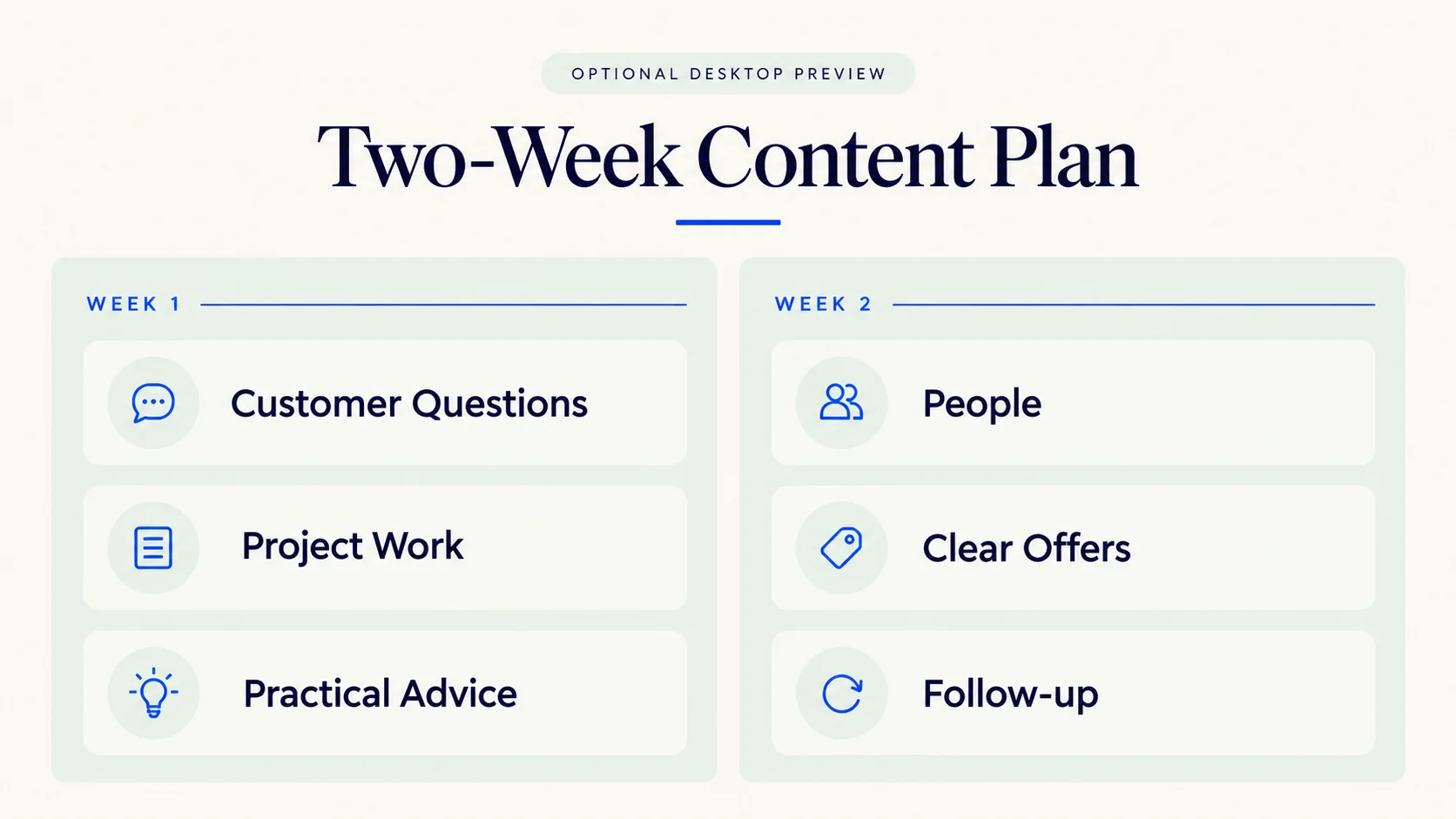
Here is a sample two-week plan for the kitchen business:
| When | Topic | Format | Purpose |
|---|---|---|---|
| Week 1: Monday | What changes a kitchen quotation? | Short carousel | Answer a buying question |
| Week 1: Wednesday | One storage decision from a permitted project | Photo with explanation | Show the work |
| Week 1: Friday | What to bring to a design consultation | Checklist | Help customers prepare |
| Week 2: Monday | A team member explains a site measurement | Captioned video | Explain the process |
| Week 2: Wednesday | What the design service includes | Clear service post | Present the offer |
| Week 2: Friday | Answer a question received that week | Image or text post | Respond to a current need |
The plan gives each post a job and leaves room for something that actually happens during the week. A delayed project does not have to leave a blank space if the team also has useful questions and advice ready to share.
If three posts are too much, start with two. Keep the answer and the quality of the evidence useful. For the production and approval side, read How to Build a Monthly Content Plan You Can Maintain.
Keep a simple record of ideas as work happens
Use one shared document or spreadsheet. When someone hears a useful question, record the question, a brief answer, the person who can verify it and any image or example that could help.
Collect ideas during normal work rather than depending on a brainstorming meeting to remember everything. A sales conversation may reveal confusion about a price. A support message may reveal a missing instruction. A project review may contain a useful lesson. These are different sources, but all can help the next customer.
Once a week, choose the ideas that support your current goal. Assign one person to prepare each post and one person to check its accuracy. This makes publishing easier to manage without requiring a complicated content system.
Check whether the content is helping
Match your review to the job of the post. For educational content, look for useful questions, saves or shares alongside reach. For a service offer, review visits to the relevant page and enquiries. For a product demonstration, check whether it helps people ask more specific buying questions.
These are clues, not proof that one post caused a sale. Where possible, use labelled links and ask new enquiries how they found you. Keep a short note of the topic, its purpose and what happened afterwards.
A post with many likes may have reached people who will never need your service. A modestly viewed explanation may be useful in a serious enquiry. Look at audience relevance and the quality of the next conversation as well as the visible numbers. Review a group of posts over time before changing direction because of one result.
Common questions about business social media content
Should a business post every day?
Choose a schedule your team can maintain with useful content. Daily posting may suit some businesses, but it is not necessary for every team. Start with a realistic commitment and adjust using your capacity and results.
What if we do not have customer projects to show yet?
Answer questions, explain your approach and demonstrate a sample of your work. Clearly label concepts or demonstrations. You can help people understand your capabilities without inventing testimonials, clients or results.
Can we reuse the same topic?
Yes, when the next post adds something useful. A pricing question can lead to a comparison, a checklist and an explanation of your own scope. Repeating the same caption with a new background gives the reader much less reason to return.
Should we use trends and festival posts?
Use them when they fit your audience and give you something relevant to say. A seasonal product guide can help someone choose. An unrelated trend may take effort without helping people understand your business. Keep your core content useful even when there is no special occasion.
Can AI help write our posts?
AI can help organise notes, suggest structures and produce a first draft. Give it your verified information and review the result. Your team should check prices, product details, claims and tone, and remove invented stories or examples presented as real experience.
Start with one useful conversation
Before planning the next month, write down five questions customers have asked recently. Choose one, answer it clearly and add a real image, example or demonstration where it helps. Give the reader a next step that fits the subject.
Over time, this builds a page that does more than look active. It becomes a useful place to understand your business and the decisions you can help people make.
If you would like help turning your questions, work and expertise into a clear content direction, explore our Social Media & Content services.