A website project often appears to begin with design. The first meeting turns to colours, homepage layouts, animations and examples of websites the team likes. Those conversations are useful, but they are not the real beginning.
The real beginning is deciding what the website must help the business and its visitors accomplish.
Without that clarity, a project can move quickly and still move in the wrong direction. The homepage is redesigned several times because the message keeps changing. Pages are added late because a department was not included. Images arrive after development. The enquiry form is built before anyone agrees who will receive the enquiries. Launch gets delayed by missing approvals, domain access or legal content.
Good preparation does not mean producing a perfect brief or writing every sentence before speaking to a website partner. It means bringing together enough reliable information to make the next decision well. A capable team can help shape the structure, content and experience, but it should not have to guess the business model, audience or internal responsibilities.
This guide explains what to prepare before starting a business website, why each item matters and how to organise the work without making the process unnecessarily complicated.
The short answer
Before starting a business website, prepare these ten foundations:
- A clear business goal for the website
- A defined primary audience
- The offer and message people need to understand
- A realistic page and feature list
- Existing content and missing content requirements
- Brand assets, photography and visual references
- Domain, hosting, platform and account access
- Functional, legal and measurement requirements
- A budget range, timeline and decision process
- A named owner for the website after launch
You do not need to solve every detail alone. You do need to identify what is already known, what still needs to be decided and who has authority to decide it. That distinction prevents uncertainty from being mistaken for progress.
Start with the job, not the pages
“We need a five-page website” sounds like a clear brief. It is actually a format, not a goal.
The business may need to establish credibility after referrals, generate qualified enquiries, explain a technical service, recruit employees, support an admissions process, sell products or introduce a new brand. Each goal leads to a different content structure, feature set and measurement plan. A five-page limit chosen too early may leave out essential information or create pages that exist only to fill a menu.
Write the website’s main job in one sentence:
The website should help [specific audience] understand [offer or value] and confidently take [next action].
For example:
The website should help operations leaders in manufacturing companies understand our reporting consultancy and request an initial project discussion.
This is more useful than “We need a modern corporate website.” Modern describes an appearance. The first statement provides direction for the message, proof, navigation and call to action.
If your need is limited to one campaign, one offer and one action, first read Website or Landing Page: Which Does Your Business Need?. A focused landing page may be more appropriate than a complete business website. Making that decision before planning pages can save time and keep the project aligned with its real purpose.
1. Define the business outcome
A website can support several outcomes, but one or two should guide the first version. When every possible goal receives equal importance, the result usually feels crowded and indecisive.
Ask what should be different six to twelve months after launch. The answer may be that prospects arrive at sales calls with a better understanding of the service. It may be that the business receives fewer unsuitable enquiries, that distributors can find technical information more easily or that a new organisation has a credible place to send partners and candidates.
Avoid goals that cannot guide a design decision, such as “increase our online presence” or “look better than competitors.” Make the desired change observable, even when you do not yet have a numerical target.
Useful website goals
- Generate qualified project enquiries
- Explain a complex service clearly
- Support a sales team with credible information
- Establish trust for a new business or brand
- Present work, products, programmes or capabilities
- Help visitors compare and choose suitable services
- Recruit candidates for defined roles
- Answer recurring customer questions
- Support campaign traffic with relevant destinations
- Create a foundation for useful search-led content
Choose one primary goal and a small number of supporting goals. Then assign a realistic action to each. For example, the main action may be “Discuss your project,” while supporting actions are “View relevant work” and “Read how the process works.”
2. Identify the people the website must serve
“Our audience is everyone who needs our service” is not enough to make content decisions. A managing director, marketing manager, procurement lead and job candidate may all visit the same website, but they arrive with different questions and different levels of knowledge.
Start with the audience most important to the primary website goal. Describe that person in practical terms: their role, situation, concern, level of awareness and what may prevent them from moving forward. Demographic detail is useful only when it changes the experience.
For a B2B website, a useful audience description might be:
Marketing managers in growing service businesses who know their current website is unclear but are uncertain whether they need a complete rebuild or focused improvements. They need to understand the approach, likely responsibilities and next step before contacting an agency.
This description immediately suggests useful content. The site should explain how the work is assessed, distinguish a rebuild from an improvement project and reduce fear about an open-ended process.
Questions to answer for each important audience
- What situation brings them to the website?
- What do they probably know before arriving?
- Which words do they use for the problem?
- What must they understand before taking action?
- What evidence will they consider credible?
- What objections or risks are they evaluating?
- Which action is reasonable at their current stage?
Do not create a separate page for every imagined persona. Use the audience work to make the website easier to recognise and navigate. If several groups genuinely require different information, give them clear routes instead of combining every message in one headline.
3. Clarify the offer before writing the homepage
A homepage cannot make an unclear offer clear by design alone. Before writing, the project team needs a shared understanding of what the business provides, who it is for, what problem it addresses and how the work is different in a meaningful way.
Prepare a simple offer summary for each major service or product:
| Question | What to prepare |
|---|---|
| What is it? | A plain-language description without internal jargon |
| Who is it for? | The relevant business, role or situation |
| What problem does it address? | The condition that makes the offer necessary |
| What becomes better? | The practical outcome, without unsupported promises |
| What is included? | Main deliverables, stages or boundaries |
| How does it work? | A concise and truthful process |
| Why choose this business? | Relevant approach, expertise, evidence or point of view |
| What should happen next? | The appropriate call to action |
Do not begin by trying to sound impressive. Begin by trying to be understood. Phrases such as “end-to-end solutions,” “innovative excellence” and “transforming possibilities” leave the visitor to interpret the offer. Specific language creates a stronger foundation for both design and search visibility.
If the message is still changing, resolve that before asking the visual design to carry it. The principles in Before You Redesign Your Logo, Clarify Your Message apply equally to a website: know whom you are speaking to, what they need to understand and what they should do next.
4. Prepare a realistic page list
Once the goal, audience and offer are clear, the page list becomes easier to decide. Do not copy the sitemap of a large competitor or assume every business needs the same five pages. Each page should have a distinct purpose in the visitor’s journey.
A service-business website may begin with:
- Home
- Services overview
- One page for each major service or service group
- Work, projects or case studies
- About
- Insights or resources
- Contact
- Privacy Policy and Terms and Conditions
Depending on the business, it may also need industries, locations, products, team, careers, FAQs, downloads, partner information, support or account pages.
Give every page a job
Create a simple planning table before design begins:
| Page | Primary visitor | Main question | Required action | Content owner |
|---|---|---|---|---|
| Home | New prospect | Is this business relevant to me? | Explore a service or discuss a project | Marketing lead |
| Service page | Qualified prospect | Does this service fit my situation? | Start a relevant enquiry | Service lead |
| Work page | Evaluating prospect | Have they handled work like this? | View a project or contact | Project team |
| About | Prospect or partner | Who is behind the business? | Build confidence and continue | Founder or leadership |
| Contact | Ready prospect | How do I begin, and what happens next? | Submit enquiry | Sales or project owner |
This exercise exposes pages that have no clear purpose and identifies missing ownership early. It also prevents navigation from being treated as a collection of company departments instead of a useful route for visitors.
5. Gather the content that already exists
Most website projects do not start from nothing. Useful information may already exist in proposals, brochures, pitch decks, presentations, social posts, email responses, product sheets, sales scripts, support documents and the current website. Collecting this material gives the content team evidence and terminology to work with.
Do not copy everything directly into the new site. Existing content may be outdated, repetitive or written for a different context. Treat it as source material.
Create one organised folder and include:
- Current website copy
- Company profile and presentations
- Service or product descriptions
- Frequently asked sales questions
- Proposals and scope documents
- Process explanations
- Team biographies
- Certifications, memberships and awards
- Customer feedback that can legally be used
- Case-study information and project images
- Policies, disclaimers and legal documents
- Contact details and business address
Mark each item as current, needs review or do not reuse. This small step prevents the writer from relying on a document that an internal team stopped using two years ago.
Separate facts from claims
Facts include a service’s deliverables, the year the business was established, office locations, certifications and real project details. Claims include statements such as “industry-leading,” “best-in-class” or “trusted by thousands.” Every claim should be supported or rewritten more precisely.
The new website does not become more credible by making larger claims. It becomes more credible when the message, evidence and experience agree.
6. Decide who will write and approve the content
Content delays often become design delays. A page cannot be properly designed when the team does not know whether it contains 100 words, 1,000 words, a comparison table, three project examples or a detailed form.
Choose a content approach before the project starts:
- The business supplies final copy. Suitable when an experienced internal writer understands the audience and website structure.
- The website partner writes from interviews and source material. Useful when the business has knowledge but limited writing capacity.
- The business drafts and the partner restructures and edits. A practical shared model for many projects.
Whichever model you choose, assign one content owner. Subject specialists can review accuracy, but five people rewriting the same headline in different directions will slow the project and weaken the voice.
Prepare a content status sheet
For every page, record:
- Purpose
- Target reader
- Primary search topic where relevant
- Draft owner
- Reviewer
- Current status
- Missing information
- Required images or proof
- Approval date
This does not need complex project software. A shared spreadsheet can be enough if it is maintained consistently.
7. Prepare proof, not only promises
Visitors do not assess credibility through design alone. They look for evidence that the business exists, understands the work and can responsibly deliver what it offers.
Useful proof may include:
- Relevant projects or case studies
- Before-and-after examples with honest context
- Product demonstrations or sample deliverables
- Customer quotations with permission
- Certifications and professional memberships
- Team experience and specialist knowledge
- A clear working process
- Real business contact information
- Policies and terms appropriate to the service
If you have limited case studies, do not invent metrics or make vague claims. A new business can still show its thinking, process, founder experience, sample work or a carefully explained demonstration. Honesty about the stage of the business is stronger than borrowed credibility.
For each project you may feature, prepare the situation, objective, your responsibility, work completed, constraints and outcome. Separate what was actually measured from what you believe improved. If the customer name or results cannot be published, decide whether an anonymised example remains specific enough to be useful.
8. Organise the brand assets
The designer should not have to collect logos from a screenshot, guess the official colour or discover halfway through the project that two departments use different fonts.
Prepare a brand folder containing:
- Primary logo in SVG or another suitable vector format
- Light, dark, horizontal and compact logo variations
- Brand colour values
- Licensed font files or links and usage permissions
- Icon or illustration style where defined
- Existing brand guidelines
- Presentation or print examples that reflect the desired identity
- Rules for partner, certification or accreditation marks
If the logo is the only brand asset, say so. The project may need a small visual system before website design begins. This does not always require a complete rebrand, but typography, colour, spacing, image direction and interface elements need consistent decisions.
It is also useful to understand the difference between a logo and the system around it. Logo vs. Brand Identity: What Does Your Business Actually Need? explains which assets may be required when the website exposes gaps in the existing identity.
If a designer or agency will develop that system during the website project, prepare the business context, goals, audience, scope and references they need. What to Include in a Brand Design Brief provides a practical structure for organising that information without prescribing the creative answer in advance.
9. Plan photography, video and visual material
Images are often treated as content to “add later.” In practice, they influence the layout, pace, credibility and emotional quality of the entire website. A premium design cannot fully compensate for a random mixture of low-resolution photographs, screenshots and generic stock imagery.
List the visuals required for each page. These may include:
- Founder and team portraits
- Office, campus, facility or store photography
- Product images
- Project screenshots or mockups
- Process diagrams
- Service illustrations
- Customer or partner logos with permission
- Short videos or demonstrations
- Maps, plans or technical diagrams
For original photography, prepare a shot list before the session. Define orientation, subjects, locations, clothing, props and intended page placement. Capture landscape and portrait options where possible. Leave negative space for layouts without placing people awkwardly at the edge of the frame.
For existing images, provide the original high-resolution files rather than images downloaded from WhatsApp or copied from a presentation. Confirm usage rights for photographs, fonts, icons and stock assets. Copyright uncertainty is a project risk, not a small design detail.
Write image information while context is available
Record what each image shows, where it was taken, who appears in it and whether permission exists. This makes accurate captions and alternative text easier later. Alternative text should describe the image’s content or function for accessibility; it should not become a place to repeat keywords mechanically.
10. List the functionality in plain language
“We need a dynamic website” can mean almost anything. Describe what visitors and administrators must be able to do.
Examples include:
- Submit a project enquiry
- Select more than one service in a form
- Call or open WhatsApp on mobile
- Book an appointment
- Search articles or products
- Filter projects by category
- Download a brochure
- Register for an event
- Apply for a course or role
- Pay online
- View content in more than one language
- Update services and articles in WordPress
- Store enquiries in an admin dashboard
- Send acknowledgement and notification emails
- Connect submissions to a CRM
For every feature, describe the successful outcome and the exception cases. If a person submits a form, who receives it? Is the data also stored? What confirmation appears? What happens if email delivery fails? What information is required, and how long should it be retained?
These operational questions are part of website planning. A form is not complete simply because the button changes to “Sent.”
Separate essential features from later improvements
Use three groups:
- Required for launch: the website cannot perform its main job without it.
- Useful soon after launch: valuable, but not necessary for the first release.
- Future possibility: worth considering in the architecture, but not yet justified.
This protects the primary launch from endless additions while reducing the risk of choosing a platform that blocks reasonable future growth.
11. Map forms and the follow-up process
Forms deserve their own preparation because they connect the public website to internal work.
For each form, define:
- Its purpose
- Required and optional fields
- Validation rules
- Consent or privacy text
- Recipient and internal owner
- Where submissions are stored
- Confirmation shown to the visitor
- Acknowledgement email content
- Expected response time
- Spam protection
- Analytics event
- Data retention and deletion process
Keep the first interaction proportionate. A person beginning a project enquiry should not have to complete a procurement document. Ask for enough information to prepare a useful response, and gather deeper project detail during the next stage.
If an existing site attracts visitors but produces few conversations, the problem may be broader than the form. Why Your Website Gets Visitors but Few Enquiries explains how message, trust, mobile usability and follow-up work together across the full conversion journey.
12. Prepare domain, hosting and account access
Access problems can stop a launch even when the website itself is ready. Before work begins, identify who owns each account and how access will be shared securely.
Prepare or locate access for:
- Domain registrar
- DNS management
- Web hosting or server
- WordPress administrator
- Existing theme and plugin licences
- CDN and security services
- Business email or SMTP provider
- Analytics and tag management
- Search Console or equivalent search tools
- Advertising pixels where approved
- CRM, booking, payment or form integrations
- Existing backups and staging environment
Do not send permanent passwords in unprotected messages or give every contractor the business owner’s main account. Create named user accounts with the minimum access required, enable multi-factor authentication where available and document who has access.
Confirm ownership, not only login access
A previous developer may control the domain or hosting account. An employee’s personal email may own analytics. A plugin licence may belong to an agency and expire when the relationship ends. Record the actual owner of each asset and decide what must move into business-controlled accounts.
Before launch, confirm the process for DNS changes, backups, rollback and access recovery. These are small preparations until something goes wrong; then they become the entire project.
13. Define technical and platform requirements
The platform should be chosen after understanding the content, features, internal skills and maintenance needs—not because it is fashionable or because a team uses it for every project.
Prepare information about:
- Who will update the website
- How often content will change
- Types of content to manage
- Required integrations
- Expected languages and regions
- Accessibility requirements
- Security or compliance expectations
- Existing systems that must remain
- Hosting restrictions
- Performance expectations
- Expected future features
For a WordPress project, decide which information should be editable as pages and which deserves structured content such as Services, Work or Team profiles. When repeated content is modelled properly, editors can update it consistently and templates remain easier to maintain.
Avoid installing features before the need is understood. Every plugin, script and integration creates a maintenance responsibility. The best technical setup is not the one with the most functions; it is the one that reliably supports the agreed website experience.
14. Prepare legal, privacy and accessibility requirements
Legal and accessibility content should not be left for the final evening before launch. The exact requirements depend on the business, audience, location, data collected and sector, so obtain appropriate professional advice where necessary.
At a practical planning level, identify:
- Privacy Policy
- Terms and Conditions
- Cookie or tracking disclosures
- Consent wording for forms and marketing
- Refund, shipping or cancellation policies where relevant
- Copyright ownership and attribution
- Required company registration information
- Accessibility expectations and contact route
- Sector-specific disclaimers
- Data retention and deletion responsibilities
Accessibility is not only a compliance paragraph. It affects colour contrast, keyboard navigation, focus states, headings, link language, form labels, error messages, captions, alternative text and motion. Include it in design and development acceptance criteria from the beginning.
15. Decide what to measure
Analytics becomes useful when it answers a business question. Installing a tracking code without defining meaningful actions produces activity data, not understanding.
Connect measurement to the website’s main goal. A service website may track:
- Primary CTA clicks
- Service-page engagement
- Work or case-study views
- Contact-page visits
- Form starts
- Validation errors
- Successful form submissions
- Phone clicks
- WhatsApp clicks
- Email clicks
- Brochure downloads
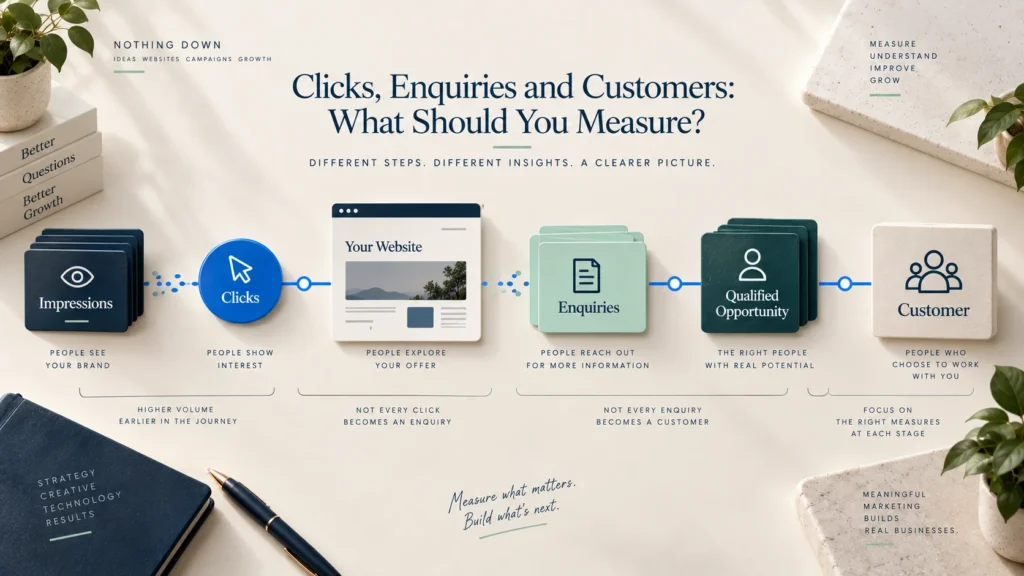
Not every action is a conversion, and not every conversion is a qualified opportunity. Agree on event names, consent requirements, reporting ownership and how online enquiries will connect to actual conversations or sales outcomes.
Set a baseline after launch and annotate major changes. Avoid promising a fixed conversion improvement before real traffic and behaviour are understood. Measurement should help the team learn, not decorate a report.
16. Set a realistic budget and scope
A useful budget conversation is not simply “How much does a website cost?” The cost depends on the work required to understand, create, build, connect, test and maintain the experience.
Prepare a realistic investment range and clarify what it must include:
- Strategy and discovery
- Information architecture
- Copywriting and editing
- Visual direction and interface design
- Photography, video or illustration
- Development
- Content entry or migration
- Forms and integrations
- Accessibility and performance work
- Testing and launch
- Hosting, licences and ongoing maintenance
If the available budget cannot support every desired feature, reduce the first release around the primary goal. Do not preserve every feature by lowering the quality of the message, testing or security.
Define what counts as a change
Website projects become difficult when every new idea is assumed to be part of the original scope. Agree on included page types, templates, features, content responsibility and review rounds. Establish how new requirements will be assessed for cost and timeline.
This is not about discouraging improvement. It gives the team a fair way to make decisions when the project learns something new.
17. Build a timeline around dependencies
A launch date by itself is not a plan. Website tasks depend on one another. The page structure depends on the audience and offer. Design depends on content direction. Development depends on approved components. Launch depends on testing, access and final content.
A typical sequence may include:
- Discovery and goal alignment
- Audience and message clarification
- Sitemap and content plan
- Copy and asset preparation
- Wireframes or content structure
- Visual design
- Development and integrations
- Content entry
- Quality assurance
- Stakeholder approval
- Launch and monitoring
Some work can overlap, but uncertainty should not simply be pushed downstream. If photographs will take three weeks, schedule them early. If a director must approve legal content, reserve review time. If the domain is controlled by a former provider, solve the access issue before launch week.
Include a small buffer for review and correction. A rushed launch often creates issues that cost more time after the site is public.
18. Establish one decision process
Many website problems are approval problems disguised as design problems.
Decide who provides input, who checks specialist accuracy and who gives final approval. These roles can belong to different people, but the final decision should not remain ambiguous.
Prepare:
- Project owner
- Final approver
- Content owner
- Technical contact
- Legal or compliance reviewer where needed
- Subject specialists
- Agreed review method
- Response timeframe
Collect feedback in one place. “Make it more premium” or “It does not feel right” is difficult to act on. Useful feedback connects to the goal: “The first section does not explain that this service is for manufacturers,” or “The CTA sounds like a purchase when the next step is only a consultation.”
Review the work against the agreed audience, message and page purpose before discussing personal preference. That keeps the project centred on the visitor.
19. Plan ownership after launch
Launch is the beginning of the website’s operating life. Assign responsibility before the handover.
Decide who will manage:
- WordPress, themes and plugin updates
- Backups and recovery testing
- Security monitoring
- Form testing and stored enquiries
- Content changes
- New articles and projects
- Analytics reporting
- Broken links and outdated information
- Licence renewals
- User access when staff change
- Performance and accessibility checks
Agree on whether maintenance is handled internally, through a support agreement or by another provider. Document the platform, key integrations, accounts, licences and recovery procedure.
A website without ownership gradually becomes unreliable. The phone number changes, an old employee remains on the team page, forms stop sending, plugins expire and campaign pages remain live after their offers end. Maintenance protects both the technical system and the truth of the content.
A realistic preparation story
Consider a fictional manufacturer preparing its first professional website. The initial request is simple: Home, About, Products, Infrastructure and Contact. The team expects design to begin immediately.
During preparation, several important facts emerge. The company serves three industries, but each buyer evaluates different specifications. Procurement teams need certifications. International buyers want export information. The sales team repeatedly answers the same questions about minimum order quantities and manufacturing capacity. Product photographs exist, but they are inconsistent and too small for a modern layout. Enquiries currently go to one employee’s personal inbox.
The correct website is no longer just five generic pages. The sitemap needs clear industry and capability routes. A new photography session needs a shot list. Certifications need verified files and expiry checks. The enquiry form needs routing and ownership. Content requires input from sales and production, but one marketing owner must consolidate it.
The preparation adds work before design, yet it removes far more uncertainty from design and development. The website team can now create an experience around real buyer questions instead of producing a polished shell and discovering the missing requirements later.
This example is not a promise that planning eliminates every change. A project will always learn. The value of preparation is that new learning is judged against a clear purpose rather than added randomly.
The complete pre-website checklist
Use this list before the formal project kickoff.
Strategy
- Primary website goal is written in one sentence
- Main business outcome and supporting outcomes are agreed
- Primary and secondary audiences are identified
- Main visitor action is defined
- Website versus landing-page decision is confirmed
Offer and message
- Major services or products are described in plain language
- Audience, problem, outcome and scope are clear
- Meaningful differences are supported by evidence
- Internal jargon and unsupported claims are identified
- Primary CTA reflects the real next step
Structure and content
- Initial sitemap is prepared
- Every page has a purpose and owner
- Existing content is collected and reviewed
- Missing content is listed
- Writing and approval responsibilities are assigned
- Legal and policy content is planned
Proof and assets
- Projects, examples and testimonials have usage permission
- Claims and results can be verified
- Logo variations and brand information are organised
- Original high-resolution images are available
- Photography or illustration requirements are planned
- Font, image and asset licences are confirmed
Features and technology
- Launch features are separated from future ideas
- Forms include storage, notifications and follow-up requirements
- Integrations and platform constraints are documented
- Domain, hosting and system ownership are confirmed
- Secure project access is available
- Backup and rollback responsibilities are understood
Project management
- Budget range and inclusions are clear
- Timeline reflects content and approval dependencies
- One project owner and one final approver are named
- Review rounds and change process are agreed
- Maintenance owner is decided before launch
- Measurement events and reporting ownership are defined
You do not need every box completed before the first conversation. You should know which boxes are incomplete and who will close them.
Frequently asked questions
Do we need all the website copy before design begins?
Not always, but the designer needs reliable content direction and realistic content volume. Final copy can develop alongside wireframes when the workflow is planned. Designing every page with placeholder text and deciding the message later usually creates avoidable revisions.
What should we prepare for the first website meeting?
Bring the website goal, main audience, service information, current website or source material, examples of relevant work, desired features, known technical constraints, budget range, target date and names of the decision-makers. Clearly state which items are still uncertain.
How many pages should a business website have?
There is no ideal number. Use enough pages to serve distinct visitor needs without creating thin or repetitive content. A focused consultancy may need a small website, while a manufacturer, university or multi-service company may require a deeper structure.
Should we prepare content or choose a design first?
Begin with the goal, audience, message and content structure. Visual exploration can happen early, but it should support the content rather than determine what the business is allowed to say. The strongest process brings content and design together instead of treating either as decoration.
Can the website agency write our content?
Yes, when writing is included in the scope and the business provides access to knowledgeable people and accurate source material. The agency can structure and express the information, but the business must verify factual claims, service details and legal content.
What if we do not have professional photographs?
Plan a focused photography session, use carefully selected licensed imagery where appropriate or create a visual system that does not depend on large photographs. Do not stretch small images or fill the website with unrelated stock photos only because the layout expects them.
Who should approve the website?
One person should have final approval authority. Subject specialists can confirm accuracy and leadership can provide direction, but unstructured approval by a large group creates conflicting feedback and slow decisions.
What access should we give a website developer?
Provide named accounts with only the permissions required for the work. Avoid sharing the owner’s permanent password. Confirm business ownership of the domain, hosting and analytics, and remove or adjust access after handover.
How should we prepare for SEO?
Clarify the services, audience, language customers use, geographic relevance and questions people ask before choosing. Plan useful pages around genuine search intent. SEO preparation is not a list of keywords to repeat; it is a way of aligning site structure and content with what people need to find and understand.
What happens if our requirements change during the project?
Change is normal. Record the new requirement, understand why it matters, assess its effect on scope, cost and timeline, and decide whether it belongs in the current launch or a later phase. A clear original goal makes that decision easier.
Preparation creates room for better creative work
Preparation is sometimes mistaken for paperwork that delays design. In reality, it gives creative and technical work something solid to respond to.
When the audience is understood, the message can sound specific. When the content is known, the layout can create a meaningful rhythm. When proof is available, the website can earn trust rather than merely claim it. When forms and ownership are defined, the experience can continue after someone clicks the button.
You do not need to arrive with every answer. You need a clear view of the decisions, materials and people involved. That is enough to begin a useful conversation and build the website in the right order.
Planning a new website or replacing one that no longer represents your business? Discuss your website project with Nothing Down.